You're currently on:
Halo
Multitap Delay
Description
Intro?
Add Halo to your FX chain when you need a lush-sounding next-gen multitap delay with precise control over the delay behavior, its stereo image, and frequency contents.??
Description?
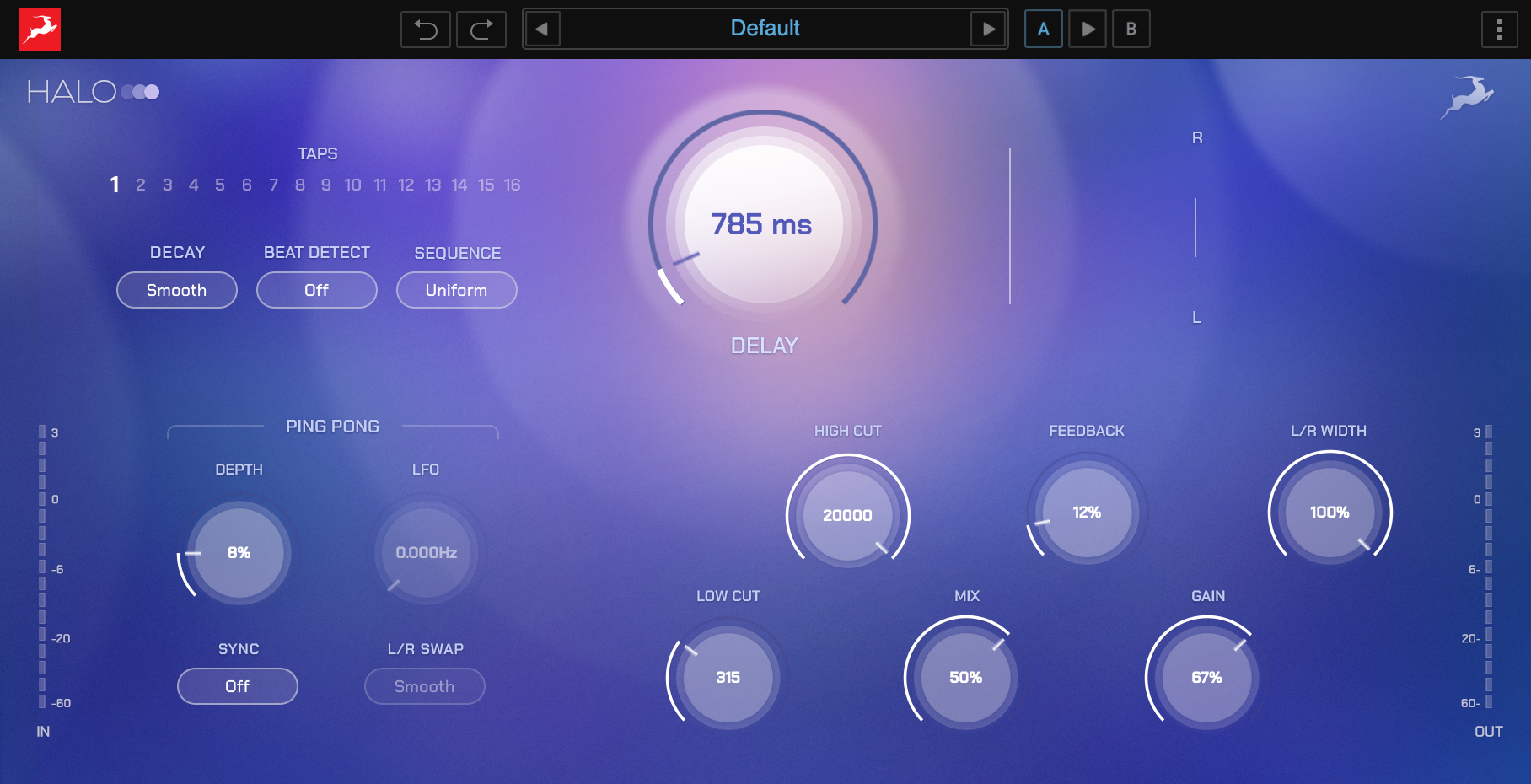
The Halo can generate up to 16 sequential delay taps with three switchable decay modes – slow, smooth, or fast. You can lock the delay to the BPM of your session and adjust the time of the intervals in note lengths of your choice. If you work outside the grid or prefer controlling the intervals by ear, switch to milliseconds mode.?
Halo features an additional Ping-Pong mode with two L/R Swap options alongside the Stereo Depth and L/R Width controls to achieve even wider and more experimental spatial effects. The plugin’s Feedback and Gain controls, allow you to fine-tune the character and dynamics of the processed signal. Halo allows you to precisely sculpt the frequency content of the delay thanks to its High and Low Cut controls.?
History?
While designing Halo we wanted to create a tool that allows a lot of precision in shaping and controlling each detail of your delay. We decided to create a multitap delay so you can add depth and space and use it to accentuate and further develop your tracks' rhythm. Thanks to its expanded control set you can achieve lush and rich delay effects to any type of instrument or audio source, making this plugin not only a great way to explore new music-writing territories or a precise production tool but also a great sound design plugin, allowing you to create various sound effects.?????
Included versions
Native Plugin: Runs on your Mac or PC without any additional hardware needed.
Features
- Generate up to 16 delay taps?
- Shape the decay of the chosen delay sequence?
- Lock to the BPM of your project or control the delay manually?
- Experiment with the L/R swapping modes of Ping-Pong mode?
- Polish the delay sound with extra High and Low Cut Filters?
Tech Specs
MAC
OS X macOS 11 Big Sur and up (Recommended: macOS 14 Sonoma and up)
Memory: 8 GB
Disk: 1 GB
CPU: Intel or Apple Silicon
Plugins: VST-3, AU, AAX
WINDOWS
Windows 10/11 (64-bit version with latest Microsoft Updates)
Memory: 8 GB
Disk: 1 GB
CPU: Intel i3 / AMD Ryzen 1st gen and up
Plugins: VST-3, AAX